Posts

Showing posts with the label Tech

How to RMA Seagate Hard Disk from the Philippines
Image
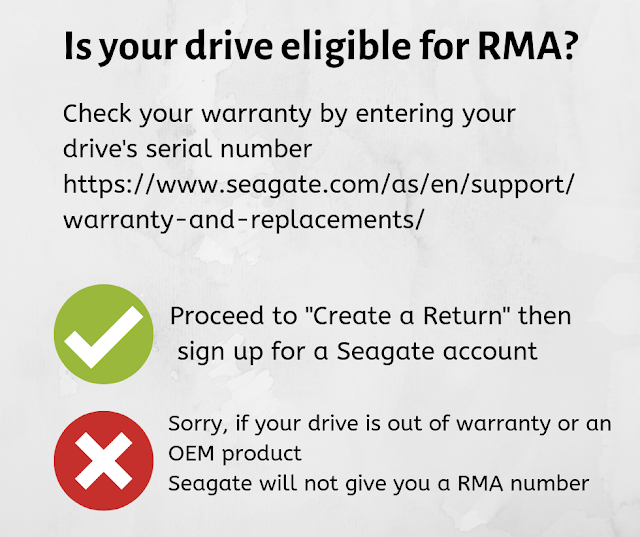
If you own a Seagate drive and want to send it in for warranty replacement via Return Merchant Authorization (RMA), you'll need to check first if it still has a valid Seagate warranty here . For the country, you need to choose the one where you intend to send and receive the replacement drive. If you bought it abroad and want to claim warranty in the country you're in, choose your current location. If you bought your drive from a local PH store (you kept the receipt, didn't you?), you'll need to contact the store where you bought it from. -------------  BLOG POST  UPDATES  ------------- Update as of January 2021: If your drive was purchased abroad and still under warranty, but you're getting the "Regional Warranty Restriction" (or something similar), click on the " Contact Us" page  and a Seagate rep will contact you. You can then ask them if they can transfer the warranty to your current region.  [Source; from TipidPC forum] Update as of...

How to claim warranty for a faulty Seagate drive (return merchandise authorization or RMA)

Image
Please refer to the 2018 version here. ========================== Recently noticed a ticking sound coming from my desktop so when I used Seatools to check my drives, it failed a specific test.  If your drives are in good condition, the test status will show "Pass," but since one of the drives showed a fail, clicking on the "Fail Info" at the top showed the error code (see photo).  Take note of the Seatools Test Code by writing it on the RMA form you're going to create later. Not all drives that failed Seatools tests show an error code, and some can be repaired using Seagate's repair tool.  If it cannot be repaired, you can opt to send in the drive for replacement provided it's within the warranty period.  You can check if your drive is still under Seagate warranty using this link .  You can also find your hard drive's model and serial number using SeaTools for Windows. Or if you bought your hard drive from a store, you can also opt to take...

How to use Prolink H5001N modem+router for PLDT DSL

Image
If you want to skip to the setup part, scroll to the 5th paragraph below. =============== We're using PLDT DSL (wired) connection at home and the modem that came from PLDT (Alcatel ADSL Home Plus Plus 500 since 2006!) was nearing its dying days, with a faulty power button that needed to be secured with wires to keep the modem on. I used an Asus RT-N16 router for the wifi network before but eventually sold it when I couldn't set it up (don't know much about Linux) to download torrents automatically via Tomato firmware, so I eventually sold it and decided to look for a combination of a modem & a router. During the downtime, I was able to use a Tenda W311u wireless usb adapter (attached to the main desktop pc) and a program called Connectify  to setup a wireless network.  The connection wasn't stable though, or at least I think it is.  My phone couldn't always "see" the network and if it did, the connection didn't last for a long time. A few ...